

Vimonto Deploy is a web application that sets up and manages servers for you and deploys your code to them. You bring a cloud account (Hetzner Cloud, DigitalOcean, Vultr, Akamai, Amazon Web Services or Google Cloud) or your own Ubuntu server; Vimonto Deploy installs and configures the software, puts your sites on the server and deploys every new version of your code without downtime. The servers stay yours: they run in your own cloud account, and you pay your provider for them directly.
It is built for developers, agencies and product teams who want the control and price of their own servers without maintaining Nginx, PHP, databases, certificates and deploy scripts by hand. If you know Laravel Forge, the way of working will feel familiar.
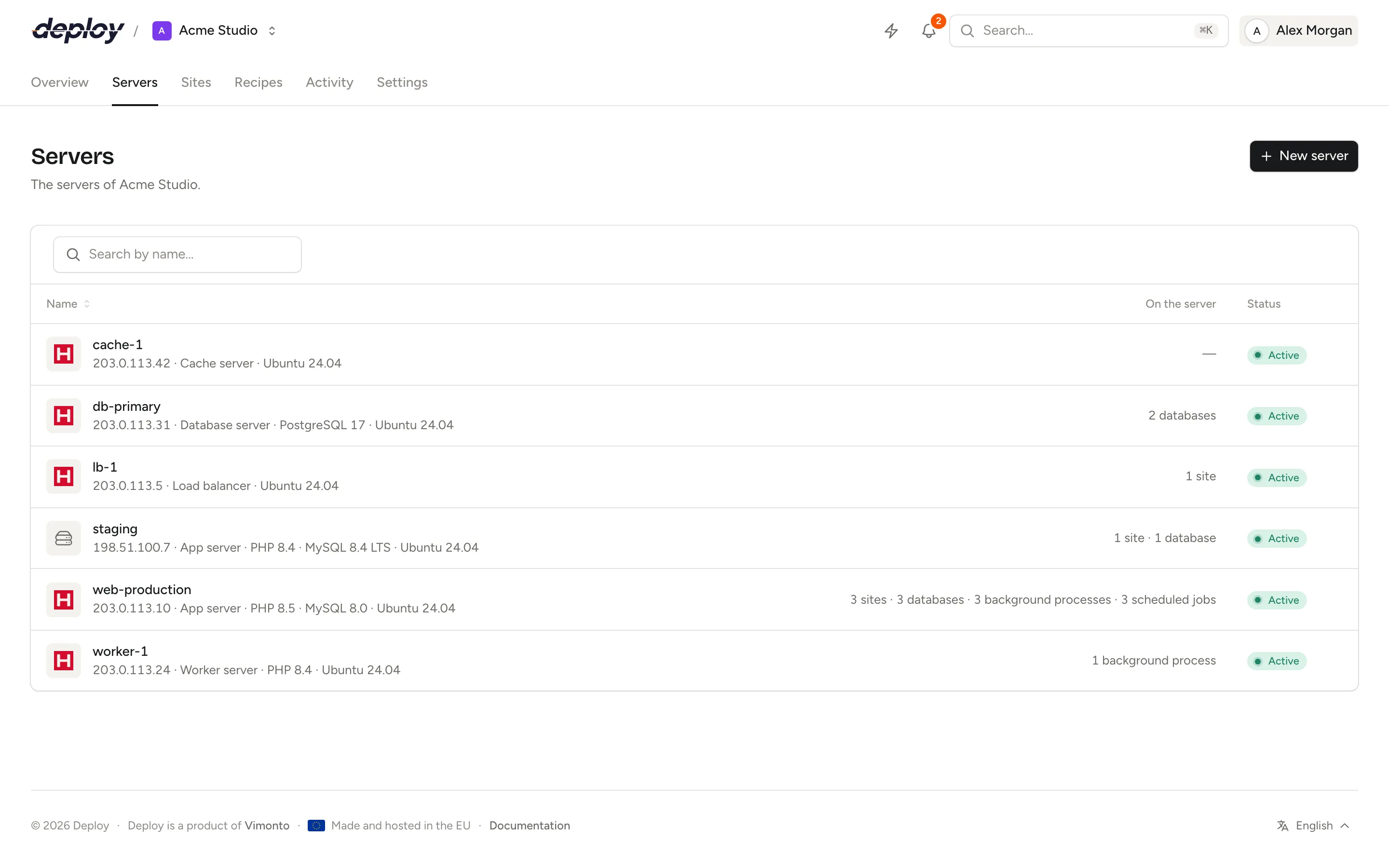
What can you do with Vimonto Deploy?
Create and provision servers
- Create a server in one go at Hetzner Cloud, DigitalOcean, Vultr, Akamai (Linode), Amazon Web Services (EC2) or Google Cloud (Compute Engine) after you connect your provider account. The same login can create the DNS records of your domains.
- Or connect any VPS or dedicated server running a clean Ubuntu 24.04 by running one command on it.
- Choose a server type for the role it plays: app server (everything on one machine), web server, worker server, database server, cache server, Meilisearch server or load balancer.
- Provisioning installs Nginx, PHP, a database (MySQL, MariaDB or PostgreSQL), Redis, Memcached, Node.js and Supervisor as the type needs, secures the server and turns on automatic security updates.
Deploy sites
- Create sites for Laravel, Symfony, Statamic, WordPress, phpMyAdmin, plain PHP, Next.js, Nuxt and static HTML.
- Deploy from GitHub, GitLab (including self-hosted GitLab) or Bitbucket after you connect your Git account.
- Zero-downtime deployments: every deploy builds a new release next to the live one and only switches over when every step succeeded. Roll back to an earlier release with one click.
- Deploy on every push, from your CI through a deploy URL, or with the Deploy now button.
- Edit the environment file of each site from the browser, with a history of earlier versions to restore, and its Nginx configuration and logs.
- Domains and free Let's Encrypt certificates, or upload your own certificate.
- Turn on framework features such as Horizon, Reverb, Pulse, Inertia SSR or WordPress hardening from a single menu: site features.
- Spread a site's traffic across several app servers with a load balancer.
- Find every site of the organization, on all its servers, under Sites in the top navigation.
Run and watch your servers
- Manage PHP versions, databases and database users and database backups to S3-compatible storage.
- Keep processes running under Supervisor, schedule cron jobs and run queue workers.
- Manage the firewall and private network and restart services.
- Open a terminal in the browser without setting up SSH on your computer.
- Follow CPU, memory, disk and network in monitoring, get notified when a threshold is crossed, and check scheduled jobs with heartbeats.
- Choose which notifications you get, such as failed deploys, backups and monitor alerts, in the app and by email.
- Save scripts as recipes and run them on several servers at once.
- Transfer a server to another organization, for example when a client takes over their own servers.
Work as a team
Everything lives in an organization. You invite members and give each of them a role: owner, administrator, manager, developer or viewer. With teams you can limit members to the servers of their own teams, for example one team per client.
Everything that runs in the background is visible to the team on the activity page, and pages update themselves while work happens. The audit log records who changed what, and when, for a year.
Automate with the API
Create a personal API token and use the REST API to deploy from your CI pipeline, list servers and sites, or run recipes from your own scripts.
How much does Vimonto Deploy cost?
Vimonto Deploy is free for 1 server and 3 sites. Premium costs €15 or $17 per month per organization and has no limit on servers and sites. Both plans include every feature and unlimited members, and the first organization you create tries Premium for 7 days without payment details. Your servers are billed separately by your cloud provider. See billing.
Where is Vimonto Deploy made and hosted?
Vimonto Deploy is made and hosted in the EU. Your servers run wherever you create them: you choose the provider and the region.
Which languages does Vimonto Deploy support?
The application is available in English, Dutch (Nederlands), German (Deutsch), French (Français) and Italian (Italiano). Each person chooses their own language under account settings, and the emails and notifications you receive follow that choice.
Frequently asked questions
Is Vimonto Deploy a hosting provider?
No. Vimonto Deploy manages servers; it does not sell them. Servers are created in your own account at Hetzner Cloud, DigitalOcean, Vultr, Akamai, AWS or Google Cloud, or you connect a server you already rent elsewhere. You pay your provider for the server and Vimonto Deploy for managing it.
Do I need to know Linux to use Vimonto Deploy?
No. Provisioning, Nginx, PHP, databases, certificates and deployments are configured for you through the browser. When you do want a shell, the browser terminal and SSH with your own keys are available.
What happens to my servers if I stop using Vimonto Deploy?
They keep running. Your servers and the sites on them are ordinary Ubuntu machines in your own account, so your applications keep working without Vimonto Deploy.
Can I export my data or delete my account?
Yes. Under account settings you can download your personal data and delete your account yourself.
Can I try it for free?
Yes. The first organization you create gets Premium for 7 days without payment details, and after that the free plan stays free for 1 server and 3 sites. See billing.