

Creating a server in Vimonto Deploy takes one short wizard. You choose a connected cloud account, what the server is for, where it runs and how big it is, then the PHP version and database. Vimonto Deploy creates the server at your provider on Ubuntu 24.04 LTS and provisions it: it installs and secures everything the server type needs. That usually takes 5 to 15 minutes, and you can follow it live.
You need a connected cloud provider to create a server this way. Already have a server? Connect it as a custom VPS with the same wizard.
Before you start
- A cloud provider. Connect Hetzner Cloud, DigitalOcean, Vultr, Akamai, Amazon Web Services or Google Cloud under Settings → Integrations. Only connections that are Working can be chosen.
- Permission. Creating servers needs the Owner, Administrator or Manager role.
- Room in your plan. The free plan includes 1 server, load balancers and custom servers included. When it is full, the page shows Your plan is full; see billing.
- An SSH key (recommended). Add your public key under Account → SSH keys so you can log in to the server yourself. See SSH keys.
Create a server step by step
Go to Servers and choose New server. The wizard has four steps: Provider, Server, Software and Review. You can go back with ← Previous, or jump to a step with Change on the review.
1. Provider: where will your server live?
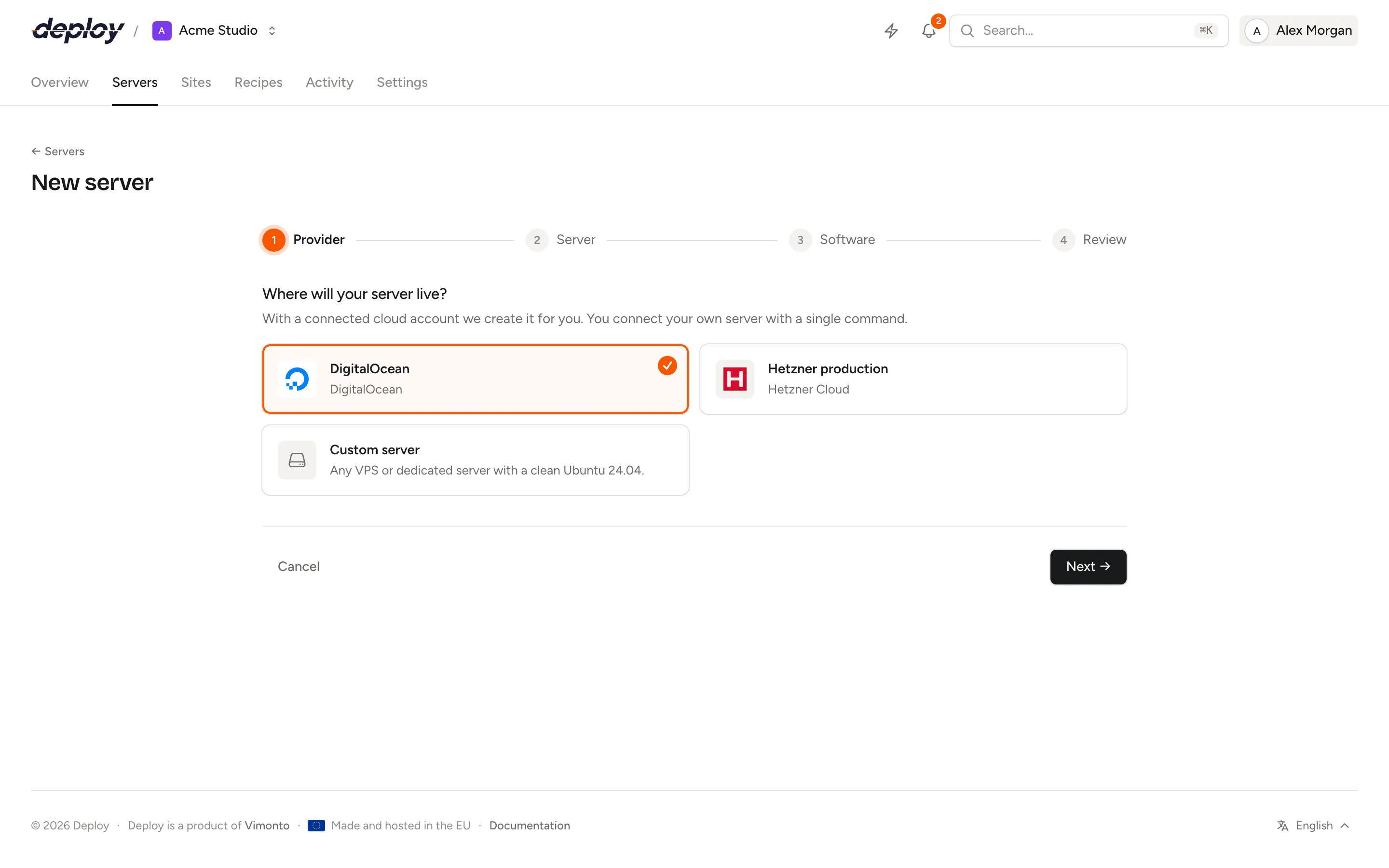
Choose one of your connected accounts, or Custom server for a server you already have. A connection that is not working is shown as "… · not working" and cannot be chosen.
2. Server: type, location and size
What kind of server? The type decides what Vimonto Deploy installs. Not sure? Choose an App server, which has everything on one machine.
| Type | Installs |
|---|---|
| App server (recommended) | Nginx, PHP, a database, Redis, Memcached, Node.js, Supervisor |
| Web server | Nginx, PHP, Node.js, Supervisor |
| Worker server | PHP and Supervisor, for queue workers |
| Database server | MySQL, MariaDB or PostgreSQL |
| Cache server | Redis and Memcached |
| Meilisearch server | Meilisearch |
| Load balancer | Nginx |
See server types for what each type is for and which pages it has.
Location and size. Choose a region in the search box (type a city or country). The table below it lists the sizes the provider can create in that region right now, live from the provider: CPU, memory, disk and the price per month and per hour. Sizes the provider has run out of show Sold out and cannot be chosen; the provider's suggestions show Recommended. On Hetzner Cloud, sizes are marked Cost-optimized, Shared or Dedicated; on AWS Burstable, General purpose, Compute-optimized or Memory-optimized. On Google Cloud a region is one zone (for example Netherlands (europe-west4-a)), and sizes show no price, because Google's API has none; see Google Cloud. The first eight sizes are shown at first; choose Show all … sizes for the rest.
Private network. Servers in the same network talk to each other over private addresses, away from the internet. This is useful for a separate database or cache server.
- None: the server only gets a public address.
- Existing network: join a network you already have in this region at the provider. A provider's default network (DigitalOcean has one per region) is selected for you.
- New network: Vimonto Deploy creates a network at the provider with the Network name you enter, and picks a free address range so it does not clash with your other networks.
3. Software: name, PHP, database and keys
- Server name: lowercase letters, numbers and hyphens, unique in your organization. It also becomes the server's hostname. A random name such as
cedar-harboris suggested; the button next to it suggests another one. - Operating system: Ubuntu 24.04 LTS, with security updates until 2029. Automatic security updates are turned on.
- PHP (app, web and worker servers): PHP 8.5, 8.4, 8.3, 8.2 or 8.1. The default is PHP 8.5. You can install more versions side by side later on the server's PHP page.
- Database (app and database servers): MySQL (8.4 LTS or 8.0), MariaDB (11.4 LTS or 10.11 LTS) or PostgreSQL (18, 17 or 16). An app server can also have None, for example when you use a separate database server.
- Your SSH keys: the keys from your account that may log in to the server. All of them are selected by default. The organization's keys are always added. Your choice is kept with the server: a custom VPS gets these keys when it connects, and if provisioning is started again, the same keys are installed.
4. Review and create
The review lists every choice. Next to it you see the Cost at your provider per month: the server is billed directly by the provider, and Vimonto Deploy charges nothing extra per server. Choose Create server.
What happens after you choose Create server?
You go straight to the server's page, where a progress panel shows the task:
- If you chose a new network, it is created first.
- The server is created at the provider, with a key pair made for this server only.
- Vimonto Deploy waits for the server to boot and to accept SSH.
- It runs the provisioning steps one by one: preparing the system, the user and SSH, the firewall, automatic security updates, and then the software of the server type.
- It installs the monitoring agent.
Each step shows its output, under Details and log. You do not need to keep the window open; when the task ends, you get a notification in whatever tab you have open. The task is also on the activity page. Read exactly what is installed on the provisioning page.
Until the server is active, this overview is its only page: there is no sidebar, and other pages of the server lead back to it. The sidebar appears by itself when provisioning has finished; see provisioning.
Members who can see the server get a Server ready notification when it is done, or Setting up a server failed when it fails, through the channels they chose under notifications. If your organization limits which servers you see to your teams, the new server joins your teams, so you keep seeing it.
Store the server's passwords
Every server gets a sudo password for its server user. App and database servers with a database also get a database password for the database user, and a Meilisearch server gets a Meilisearch master key. These passwords are generated for this server and are random letters and numbers.
Only the person who created the server sees them, and only once:
- On the server's page, a window Passwords of … shows them with a Copy button for each.
- Download (.txt) saves them as a text file.
- A copy is emailed to you as well, in case you close the page too soon.
Choose I have stored them once they are in your password manager. Vimonto Deploy then deletes them for good (once provisioning has finished): nobody can retrieve them after that, not even Vimonto Deploy. Until you confirm, the Access panel on the overview shows Show once next to Passwords.
You log in with your SSH key; root deliberately has no password.
Server statuses
| Status | Meaning |
|---|---|
| Creating | The server is being created at the provider. |
| Waiting for connection | A custom VPS is waiting for you to run the connect command. |
| Provisioning | Software is being installed. |
| Active | The server is ready to use. |
| Failed | Creating or provisioning stopped with an error. |
| Disconnected | The server was active, but Vimonto Deploy can no longer reach it over SSH. |
| Deleting | The server is being deleted. |
What if creating the server fails?
The progress panel says Provisioning failed with the error, and the full log is under Details and log. Common causes are a provider without capacity in the region, a token without write permissions, or a server that did not boot or accept SSH within 15 minutes.
Fix the cause and choose Try again (this needs permission to create servers). Provisioning continues where it can: a server that already exists at the provider is not created again, and every step is safe to run again. New passwords are generated if you had already confirmed the old ones. See provisioning.
Frequently asked questions
How long does it take to create a server?
Usually 5 to 15 minutes from Create server to an active server. Most of that time is updating Ubuntu and installing the software; app servers with a database take longest.
Which Ubuntu version do servers run?
Ubuntu 24.04 LTS. Ubuntu 26.04 LTS follows once all software has been tested on it.
Can I change the server type later?
The type decides what provisioning installs, so choose the type for the role the server will have. You can add more PHP versions, databases, processes and services to a server later on its own pages.
Does Vimonto Deploy charge per server?
No. Vimonto Deploy is one price per organization. The provider bills the server itself to your own account.
Can I move a server to another organization?
Yes. Send a transfer from the server's Settings; the new owner accepts it into one of their organizations, with the sites and databases. See transfer a server.