

A custom VPS is a server you already have, at any hosting provider or in your own data center, that you connect to Vimonto Deploy instead of letting Vimonto Deploy create it. You enter its IP address, run one command on it as root, and Vimonto Deploy provisions it exactly like a server it created itself: same software, same security, same pages.
Use a custom VPS when your provider is not one of the connected cloud providers, when you rent dedicated hardware, or when you want to reuse a server you already pay for.
Requirements
Your server must have:
- A clean installation of Ubuntu 24.04 or 26.04 (x64). The connect script and provisioning refuse any other system. Use a fresh server: provisioning configures Nginx, PHP, the firewall and SSH, and replaces settings that are already there.
- A public IP address, reachable over the internet. Vimonto Deploy connects to it over SSH.
- Root access over SSH, and
curl. You run the connect command as root (or withsudo). - At least 1 CPU, 1 GB of memory and 10 GB of disk.
The server must also be able to reach Vimonto Deploy over HTTPS: the connect script downloads from it and calls back to it, and the monitoring agent posts its metrics to it every minute.
Connect a server step by step
- Go to Servers → New server.
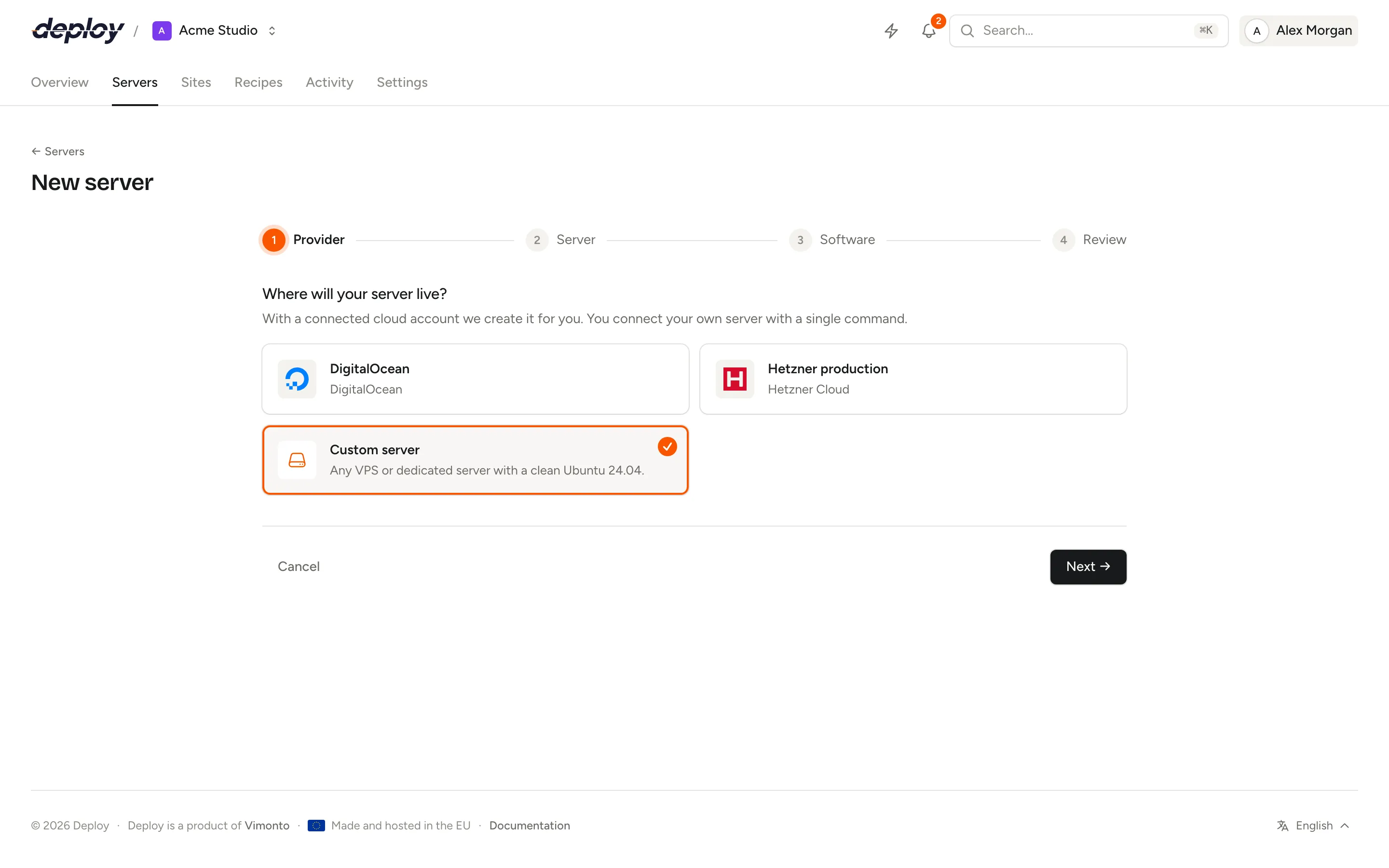
- Under Provider, choose Custom server.
- Under Server, choose the server type. Then, under How do we reach your server?, enter the Public IP address and the SSH port (22 unless your server uses another port).
- Under Software, choose the name, PHP version, database and your SSH keys, as for any new server.
- On the review, choose Create server.
The server now has the status Waiting for connection, and its page shows Connect your server:
-
Log in to your server as root, for example
ssh root@203.0.113.10. -
Run this command. Copy it with Copy; it looks like this:
curl -fsSL 'https://…/provisioning/123/…' -o vimonto-connect.sh && sudo bash vimonto-connect.sh -
We do the rest. The page shows "Waiting for your server to check in…" and switches to the provisioning progress as soon as the script has called back.
What does the connect command do?
The command downloads a short bash script made for this server and runs it as root. The script:
- checks that it runs as root, and stops if not;
- checks that the system is Ubuntu 24.04 or 26.04, and stops with the version it found if not;
- adds Vimonto Deploy's public key for this server to
/root/.ssh/authorized_keys(every server has its own key pair); - installs
curlif it is missing; - calls back to Vimonto Deploy to say the server is ready, and prints "Connected to Vimonto Deploy. The server is being provisioned now; follow the progress in your browser."
That is all it changes. Everything else happens over SSH from Vimonto Deploy, as a provisioning task you can follow on the server's page.
The address in the command contains a secret token for this server. It only works while the server is waiting to be connected (or after a failed attempt), and stops working once the server is provisioned. Running the command twice is harmless: the second call does not start a second provisioning.
Which SSH keys are added?
Provisioning adds the organization's SSH keys and the account keys chosen under Your SSH keys when the server was created, for the server user and root. That choice is kept with the server: it does not matter how long it takes before you run the command, and Try again installs the same keys. You can add or remove keys later on the server's SSH keys page. See SSH keys.
Firewall, ports and NAT
Provisioning turns on the ufw firewall: it denies all incoming traffic except:
- the SSH port you entered;
- the port the SSH daemon itself listens on, if that is a different one;
- ports 80 and 443 on servers with Nginx (app, web and load balancer servers).
Allowing both SSH ports matters when your server is behind NAT or port forwarding: you enter the outside port (for example 2222) as SSH port, while sshd inside listens on 22. Both are allowed, so Vimonto Deploy never locks itself out.
If your server is behind NAT, forward the SSH port, and ports 80 and 443 for a web server, to the server. If your hosting provider has a firewall of its own in front of the server, open the same ports there. You can add more rules later on the network page.
What if nothing happens after running the command?
If the page keeps waiting:
- Check the script's output on the server. It stops with a clear message if it does not run as root or the system is not Ubuntu 24.04 or 26.04.
- Check that the server can reach Vimonto Deploy over HTTPS (
curlmust be able to download the script and post the callback).
If provisioning starts but fails at Wait for the server to accept SSH, Vimonto Deploy cannot reach the server on the IP address and SSH port you entered. Check the firewall at your hosting provider, port forwarding, and that the key is in /root/.ssh/authorized_keys. Vimonto Deploy keeps trying for 15 minutes.
When provisioning failed, choose Try again on the server's page. If the server had never called back, the server goes back to Waiting for connection and you run the command again; otherwise provisioning starts again over SSH. See provisioning.
Frequently asked questions
Can I connect a server that already runs websites?
It is not recommended. Provisioning is meant for a clean Ubuntu installation: it replaces the SSH, firewall, Nginx and PHP configuration, and turns off password logins. Use a fresh server and move your sites to it.
Does a custom VPS work differently from a cloud server?
No. Once provisioned, it has the same pages and features. The only differences are that Vimonto Deploy did not create it, so it cannot delete it at a provider, and that the cost on the review is "as charged by your provider".
Can I use a server with a private IP address?
Vimonto Deploy must reach the server over SSH, and the server must reach Vimonto Deploy. Enter an address Vimonto Deploy can connect to; for a server behind NAT that is the public address with a forwarded SSH port.
Which Linux distributions are supported?
Only Ubuntu, version 24.04 or 26.04, on x64.