

The Redirects page of a site sends visitors from one path of the site to another page or address, for example from /old-page to /new-page, or from /shop to https://shop.example.com. Nginx answers these requests itself, before your app sees them, so you don't need to change any code.
Use it when you move or rename a page, so old links, bookmarks and search results keep working.
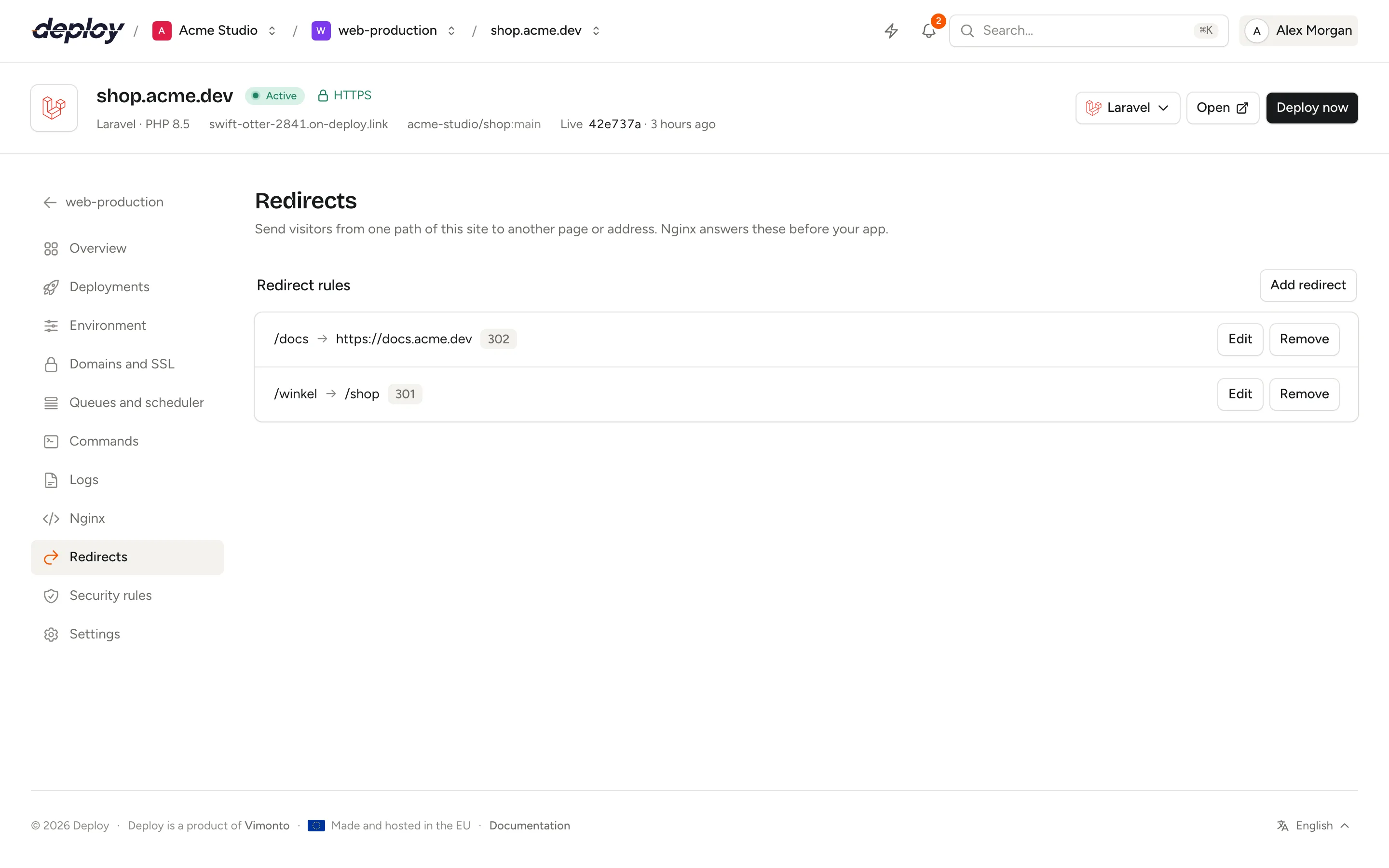
Add a redirect
- Open the site and click Redirects in its sidebar.
- Click Add redirect.
- Fill in:
- From: the path on this site, starting with
/, such as/old-page. Only this exact path redirects:/old-page/or/old-page/moredo not. - To: a path on this site, such as
/new-page, or a full address starting withhttps://(orhttp://), such ashttps://example.com/new-page. - Type: the status code (see below).
- From: the path on this site, starting with
- Click Add redirect.
The rule shows a status while it is written to the server, and is active once that is done. Click Edit to change a rule, or Remove to delete it; the path is then handled by the site itself again.
A site can have up to 100 redirects, one per path. Paths under /.well-known/ cannot be redirected: they are needed for HTTPS certificates.
Which type should you choose?
| Type | Meaning | Use it when |
|---|---|---|
| 301 · Permanent | The page has moved for good. Browsers and search engines remember the new address. | A page moved or was renamed (the usual choice). |
| 302 · Temporary | The page is somewhere else for now. | A temporary page, such as a campaign or maintenance page. |
| 307 · Temporary, same method | Like 302, but a form submission (POST) stays a POST. |
An endpoint that receives forms or API calls moved for now. |
| 308 · Permanent, same method | Like 301, but a POST stays a POST. |
An endpoint that receives forms or API calls moved for good. |
How do redirects work on the server?
Vimonto Deploy writes all redirects of the site to redirects.conf in the site's Nginx include folder, /etc/nginx/vimonto-conf/site-{id}/, one block per rule:
location = "/old-page" {
    return 301 "/new-page";
}
The configuration is checked with nginx -t before Nginx reloads. If Nginx refuses it, the previous rules are put back and stay active, and the rule shows as failed. The include folder survives whenever the site's configuration is written again, so your redirects stay.
Not all rules are active
When a change failed, or came in while another update was still running, the page shows Not all rules are active. Click Apply again to write all rules to the server once more. The output of the last update is on the activity page.
These rules do not apply to this site
Redirects work with the configuration Vimonto Deploy generates, and with your own Nginx configuration as long as it keeps the include line for the site's include folder. Without it, the page shows These rules do not apply to this site and you cannot add rules. Restore the default configuration on the site's Nginx page, or add the include line again.
Who can change redirects?
Every member can see the redirects. Adding, changing and removing them needs the permission to manage sites (owner, administrator, manager and developer), and the site and its server must be active. Changes are recorded in the audit log.
Frequently asked questions
Can I redirect a whole domain, such as www to the main domain?
Not with a redirect rule: a rule is for one path. Redirecting www to your domain is a setting of the domain: see redirects between www and the bare domain.
Can I redirect a path with all its subpages?
No. A rule only matches its exact path. Add a rule for each path, or handle wider redirects in your app or in a .conf file of your own in the include folder.
Do redirects work on a load-balanced site?
Yes. On a load balancer, the balancer answers the redirect itself, before the request reaches an app server.
Are query strings kept?
No. The redirect goes to exactly the address in To. Add a query string there if you need one.