

A server type is the role you give a server when you create it. The type decides what Vimonto Deploy installs during provisioning, which ports the firewall opens, and which pages the server has in Vimonto Deploy. Not sure which one you need? Choose an App server: it runs everything on one machine and is right for most applications.
The other types let you split an application over several servers as it grows: web servers behind a load balancer, separate workers for queues, and dedicated database, cache and search servers, connected over a private network.
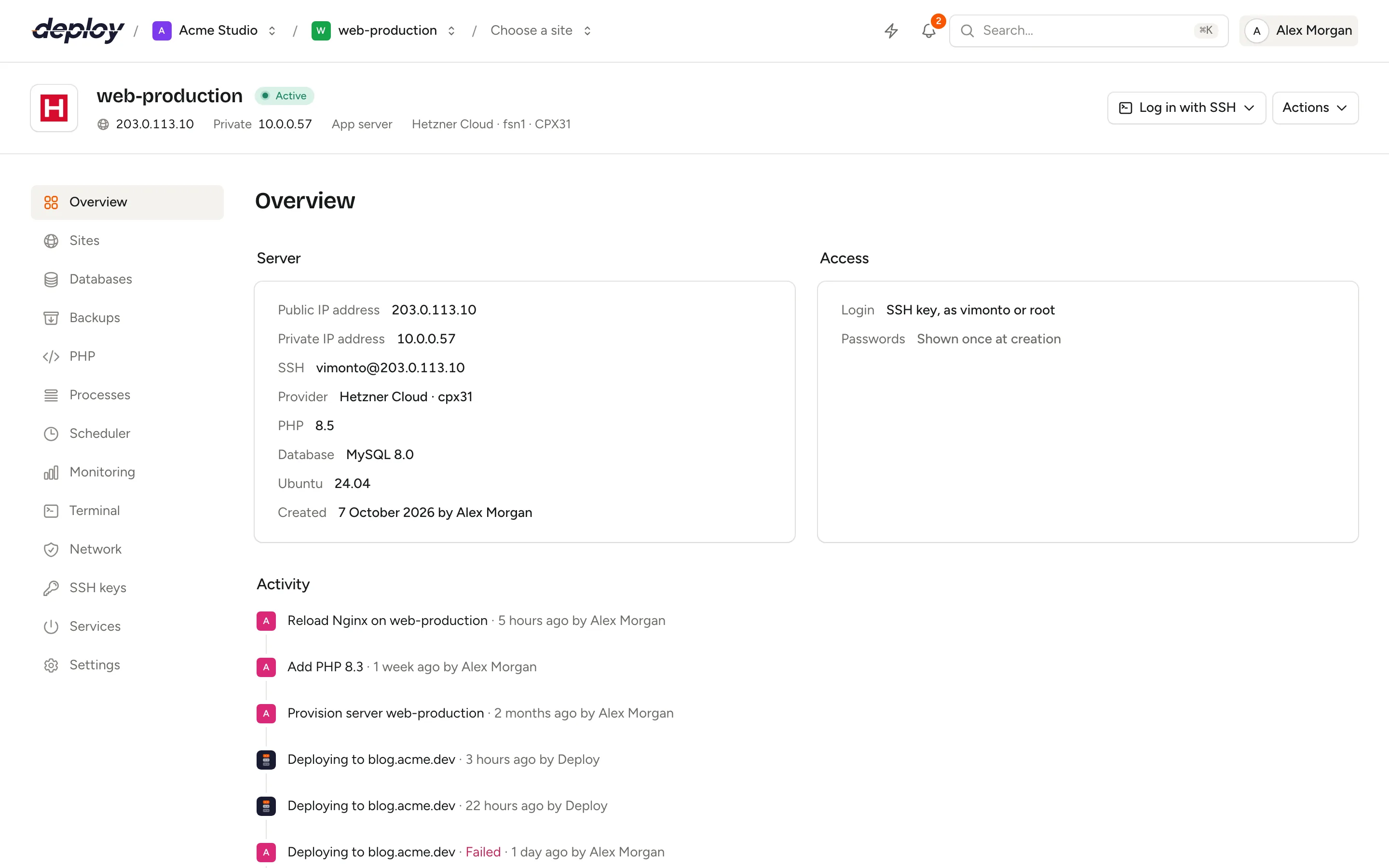
Which server type should I choose?
| Type | Use it for | Installs |
|---|---|---|
| App server | Everything on one server. Right for most applications. | Nginx, PHP, a database (optional), Redis, Memcached, Node.js, Supervisor |
| Web server | Serving your application, with the database and cache on other servers. | Nginx, PHP, Node.js, Supervisor |
| Worker server | Queue workers and other long-running PHP processes. Not reachable over HTTP. | PHP, Supervisor |
| Database server | A database for your app, web and worker servers. | MySQL, MariaDB or PostgreSQL |
| Cache server | Redis and Memcached for your app, web and worker servers. | Redis, Memcached |
| Meilisearch server | A fast search engine for your application, reachable over the private network. | Meilisearch |
| Load balancer | Spreading the traffic for a domain across your app and web servers. | Nginx |
Every type also gets the same base: Ubuntu updates, the server user, SSH hardening, the ufw firewall, fail2ban, automatic security updates, swap, standard scheduled jobs and the monitoring agent.
Which pages does each type have?
A server only shows the pages that make sense for what is installed on it.
| Page | App | Web | Worker | Database | Cache | Meilisearch | Load balancer |
|---|---|---|---|---|---|---|---|
| Overview | ✓ | ✓ | ✓ | ✓ | ✓ | ✓ | ✓ |
| Sites | ✓ | ✓ | – | – | – | – | ✓ |
| Databases | ✓¹ | – | – | ✓ | – | – | – |
| Backups | ✓¹ | – | – | ✓ | – | – | – |
| PHP | ✓ | ✓ | ✓ | – | – | – | – |
| Processes | ✓ | ✓ | ✓ | – | – | – | – |
| Scheduler | ✓ | ✓ | ✓ | ✓ | ✓ | ✓ | ✓ |
| Monitoring | ✓ | ✓ | ✓ | ✓ | ✓ | ✓ | ✓ |
| Terminal | ✓ | ✓ | ✓ | ✓ | ✓ | ✓ | ✓ |
| Network | ✓ | ✓ | ✓ | ✓ | ✓ | ✓ | ✓ |
| SSH keys | ✓ | ✓ | ✓ | ✓ | ✓ | ✓ | ✓ |
| Services | ✓ | ✓ | ✓ | ✓ | ✓ | ✓ | ✓ |
| Settings | ✓ | ✓ | ✓ | ✓ | ✓ | ✓ | ✓ |
¹ Only when the app server was created with a database, not with None.
App server
The app server has everything: Nginx, PHP (the version you choose, with Composer), Node.js and npm, a database, Redis, Memcached and Supervisor for queue workers. Ports 80 and 443 are open for your sites. The database, Redis and Memcached only listen on the server itself (localhost), so they are not reachable from outside.
You can create an app server without a database by choosing None under Database, for example when you use a separate database server. It then has no Databases and Backups pages.
Web server
A web server runs your sites like an app server, with Nginx, PHP, Node.js and Supervisor, but without a database or cache. Connect it to a database server and a cache server over a private network. Use several web servers behind a load balancer to handle more traffic.
Worker server
A worker server has PHP and Supervisor for queue workers and other processes, and no Nginx. The firewall only allows SSH, so it is not reachable over HTTP. Use it to take heavy queue work off your web servers.
Database server
A database server runs only MySQL (8.4 LTS or 8.0), MariaDB (11.4 LTS or 10.11 LTS) or PostgreSQL (18, 17 or 16); a database is required for this type. Unlike on an app server, the database listens on all addresses, so your other servers can connect to it. When the server is in a private network, provisioning allows port 3306 (MySQL and MariaDB) or 5432 (PostgreSQL) from that network only. Without a private network, the firewall denies all incoming traffic to the database until you add a rule for your other servers' addresses on the server's network page.
Provisioning creates a database user with the name of the server user (vimonto by default), with full rights and the database password that is shown once, and a database with the same name. Manage databases and users on the databases page and schedule backups to your own storage.
Cache server
A cache server runs only Redis and Memcached. They listen on all addresses so your other servers can use them. Redis runs without a password here, so only the firewall keeps it closed to the internet. When the server is in a private network, provisioning allows port 6379 (Redis) and 11211 (Memcached) from that network only. Without a private network, nothing can reach them until you add a rule for your other servers' addresses on the network page.
Meilisearch server
A Meilisearch server runs the Meilisearch search engine as a system service on port 7700, in production mode. Its master key is generated when the server is created and shown once, together with the sudo password, as Meilisearch master key. When the server is in a private network, provisioning allows port 7700 from that network only; otherwise, add a rule on the network page. Set the server's private address and the key in your application (for Laravel Scout: MEILISEARCH_HOST and MEILISEARCH_KEY).
Servers in a private network
Database, cache and Meilisearch servers that you create in a private network get firewall rules for their services right away, so your app, web and worker servers in the same network can connect without any setup:
| Type | Ports allowed from the private network |
|---|---|
| Database server | 3306 (MySQL, MariaDB) or 5432 (PostgreSQL) |
| Cache server | 6379 (Redis), 11211 (Memcached) |
| Meilisearch server | 7700 |
The rules allow the network's address range, for example 10.0.0.0/16. When Vimonto Deploy does not know the range, it uses the /16 around the server's private IP address. The rules are on the server's network page, marked Default; you can remove them or add your own. The internet stays blocked: the firewall denies all other incoming traffic.
Servers without a private network, including a custom VPS, get no such rules: add a rule for each server that needs access yourself.
Load balancer
A load balancer runs only Nginx, with ports 80 and 443 open, and spreads the traffic for a domain across your app and web servers. It has no PHP. The only kind of site you can create on it is a Load balancer site (under New site), and that kind of site can only go on a load balancer server.
On the site's Load balancing page you choose:
- the Method: Round robin (each server in turn, by weight), Least connections (the server with the fewest open connections) or IP hash (each visitor sticks to one server, by IP address);
- the servers it passes traffic to: with Add server you pick an active app or web server of your organization, with a Port, a Weight (higher gets more traffic) and, if you like, as a Backup server that only gets traffic when the other servers are down (not with IP hash, which Nginx does not combine with backups). Edit changes the port, weight and backup setting later. Traffic goes over the private network when both servers are in the same one.
Each app server needs a site for the same domain. The load balancer passes the visitor's IP address and whether they came in over HTTPS on to the app servers, and the sites there trust that information from this load balancer only. The load-balanced site needs a domain of your own before you add app servers, because they cannot answer for its on-deploy.link address. As long as no app server has been added, visitors get a 503. See load balancing for the full setup.
Frequently asked questions
Should I start with one app server or separate servers?
Start with one app server. It is the simplest and cheapest setup and handles a lot of traffic. Split off a database server, cache server or worker servers when one server is no longer enough, or when you want to scale web servers separately.
How do separate servers talk to each other?
Put them in the same private network when you create them. Database, cache and Meilisearch servers then already allow their ports from that network (see servers in a private network); for anything else, allow the port from the network's address range on the receiving server's Network page. Use the private IP address shown on each server's overview in your application's settings.
Can I add a database to a web server later?
Provisioning installs what the type needs when the server is created. Choose an app server if you want a database on the same machine, or create a database server and connect to it.