

Provisioning is the work that turns a fresh Ubuntu server into a server ready for your applications. Vimonto Deploy does it right after it creates a server at your provider, or after you connect your own VPS. It updates the system, creates the server user, secures SSH, turns on the firewall and automatic security updates, and installs the software that the server type needs.
Provisioning runs as one task, step by step, over SSH. Each step is a bash script that runs as root, stops at the first error and is safe to run again, so a failed provisioning can simply be started again. It usually takes 5 to 15 minutes.
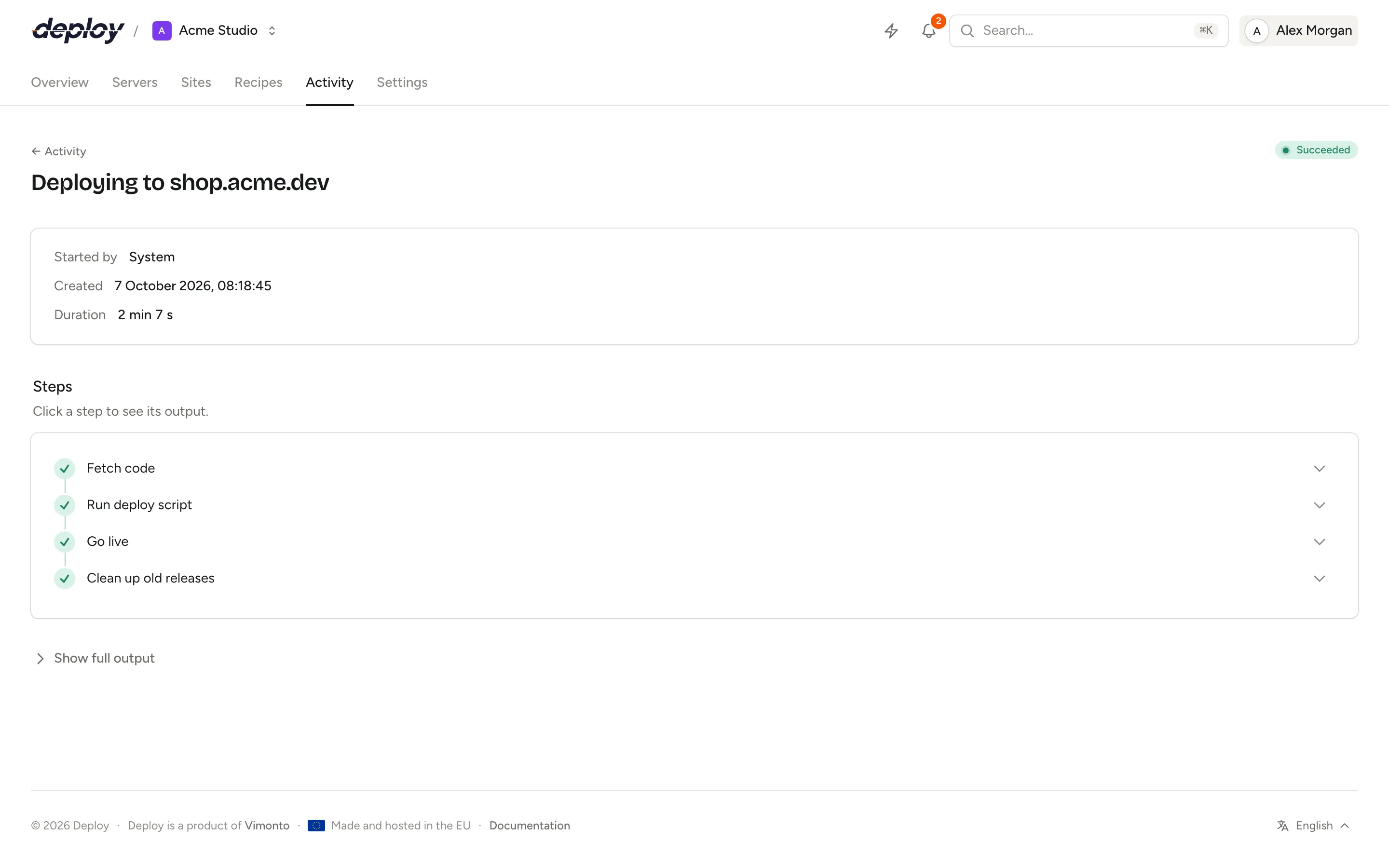
How provisioning runs
The task groups its steps into four phases: Booting, Securing, Installing software and Finishing.
| Phase | Steps |
|---|---|
| Booting | Create the private network (if you asked for a new one), Create the server at …, Wait for the server to boot, Wait for the server to accept SSH |
| Securing | Prepare the system, Set up the user and SSH, Set up the firewall, Turn on automatic security updates |
| Installing software | Install Nginx, Install PHP …, Install Node.js, Install the database, Install Redis and Memcached, Install Meilisearch, Install Supervisor, depending on the type |
| Finishing | Finish up, Install the monitoring agent |
A custom VPS skips the provider steps and starts at Wait for the server to accept SSH. You see the progress on the server's page and on the activity page, with the full output of every command under Details and log. You do not need to keep the page open.
While the server is being set up (being created, waiting for its connect command, provisioning, or failed at that), its overview with the progress is its only page: there is no sidebar, and every other page of the server and of its sites leads back to the overview. Its Settings still open from the overview, so you can delete a server whose setup failed. The sidebar comes back by itself once the server is active.
Prepare the system
- Checks that the server runs Ubuntu 24.04 or 26.04, and stops otherwise.
- Waits for cloud-init to finish, if the provider uses it.
- Sets the hostname to the server name (unless the environment manages the hostname itself) and the time zone to UTC.
- Runs
apt-get updateandapt-get upgrade. - Installs base packages:
software-properties-common,ca-certificates,curl,gnupg,lsb-release,unzip,zip,git,jq,acl,rsync,ufw,fail2ban,unattended-upgrades,cron,logrotateandhtop. - Creates swap if the server has none: half the memory, at least 1 GB and at most 4 GB, in
/swapfile. Hosts that do not allow swap (some containers) continue without. - Tunes the kernel:
vm.swappiness = 10,fs.inotify.max_user_watches = 524288andnet.core.somaxconn = 65535.
The server user and SSH
Every server has one system user, vimonto by default. Your sites, deployments, queue workers and scheduled jobs run as this user (a site you create as isolated gets a Linux user of its own; see create a site).
- The user is created with a home directory in
/home/vimontoand joins thesudoandwww-datagroups. - Its sudo password is generated for this server: 24 random letters and numbers. It is shown once when the server is created (see store the server's passwords).
~/.ssh/authorized_keysgets Vimonto Deploy's key for this server, the account keys chosen when the server was created, the organization's keys and any keys the server's SSH keys page already lists for this user. Root accepts the same keys.- The user gets its own Ed25519 key (
~/.ssh/id_ed25519), the public key of the server on its overview, which it can use to clone repositories. The SSH host keys of GitHub, GitLab and Bitbucket are added to itsknown_hosts. - SSH is hardened: password and keyboard-interactive logins are turned off, and root may only log in with a key (
PermitRootLogin prohibit-password).
Deployments may reload PHP-FPM and Nginx and control Supervisor without a password; for everything else the user needs sudo with the sudo password.
The server's SSH key in Vimonto Deploy
Separately, each server gets its own Ed25519 key pair in Vimonto Deploy when it is created. Vimonto Deploy uses it to connect for provisioning, deployments and everything else; the private key is stored encrypted and never shared between servers. The first connection records the server's SSH host key, and Vimonto Deploy refuses to connect if that key ever changes.
Firewall and fail2ban
The ufw firewall is reset and set to deny all incoming traffic and allow all outgoing traffic. It allows:
- the SSH port (22, or the port you entered for a custom VPS), and the port
sshdactually listens on if that differs (for servers behind NAT); - ports 80 and 443 on app servers, web servers and load balancers;
- on database, cache and Meilisearch servers in a private network, their service ports, only from that network's address range: 3306 (MySQL, MariaDB) or 5432 (PostgreSQL) on a database server, 6379 (Redis) and 11211 (Memcached) on a cache server, and 7700 on a Meilisearch server. Without a private network, no such rule is added and these ports stay closed.
fail2ban is turned on to block addresses that keep failing to log in over SSH. Manage firewall rules afterwards on the server's network page, where the rules from provisioning are listed. To move SSH to another port later, change the SSH port in the server settings: the firewall rule and fail2ban move with it.
Automatic security updates
unattended-upgrades is turned on: package lists are updated and security updates are installed every day, and old packages are cleaned up weekly.
Nginx
On app servers, web servers and load balancers:
- Nginx runs as the server user, and hides its version (
server_tokens off). - Requests up to 64 MB are allowed (
client_max_body_size 64M), and gzip compression is on for text, CSS, JavaScript, JSON, XML and SVG. - The default site is removed. A catch-all server answers requests for unknown host names with nothing at all (status 444), rather than showing the first site.
- The configuration is checked with
nginx -tbefore Nginx is restarted.
Each site later gets its own configuration; see Nginx.
PHP
On app, web and worker servers, the PHP version you chose (8.1 to 8.5) is installed from the ondrej/php repository, with PHP-FPM and these extensions: bcmath, cli, curl, fpm, gd, igbinary, imagick, intl, mbstring, memcached, msgpack, mysql, pgsql, readline, redis, soap, sqlite3, xml and zip.
- PHP-FPM runs as the server user, with up to 5 processes.
- PHP-FPM settings:
memory_limit512 MB, uploads up to 64 MB,max_execution_time60 seconds,max_input_vars1000, OPcache on,expose_phpoff, time zone UTC. - The command line gets
memory_limit = 1G. - Composer is installed in
/usr/local/bin/composer, after its installer's signature has been checked.
Change these settings and install more versions on the PHP page.
Node.js
App and web servers get Node.js 22 with npm, from NodeSource, for building front-end assets during deployments.
Database
App servers (unless you chose None) and database servers get the database you chose:
| Database | Installed from |
|---|---|
| MySQL 8.4 LTS | Oracle's MySQL repository |
| MySQL 8.0 | Ubuntu |
| MariaDB 11.4 LTS | MariaDB's repository |
| MariaDB 10.11 LTS | Ubuntu |
| PostgreSQL 18 or 17 | The PostgreSQL repository |
| PostgreSQL 16 | Ubuntu |
For every database:
- A database user named after the server user (
vimonto) is created with full rights and the database password: 32 random letters and numbers, shown once. A database with the same name is created as well. - MySQL and MariaDB use
utf8mb4withutf8mb4_unicode_ci, UTC, and up to 300 connections. The root user has no password and can only sign in on the server itself. - PostgreSQL uses UTC and up to 300 connections, and accepts password logins (
scram-sha-256); the firewall decides who can connect. - On an app server the database only listens on the server itself. On a database server it listens on all addresses so your other servers can connect: in a private network the firewall already allows them (see above), otherwise once you add a rule for them.
Provisioning also checks that the installed version is the one you chose. Manage databases and users on the databases page.
Redis and Memcached
App servers and cache servers get Redis and Memcached. On an app server they only listen on the server itself. On a cache server they listen on all addresses and Redis runs without protected mode, for your other servers; in a private network the firewall allows their ports from that network only.
Meilisearch
A Meilisearch server gets the latest Meilisearch binary, running as its own meilisearch system user under systemd, in production mode on port 7700, with data in /var/lib/meilisearch. The master key is the generated password shown once as Meilisearch master key.
Supervisor
App, web and worker servers get Supervisor, which keeps your queue workers and other processes running.
Finish up and the monitoring agent
The last steps:
- add two standard scheduled jobs that run as root: Update Composer (nightly) and Clean up unused packages (weekly);
- remove packages that are no longer needed and clean the package cache;
- record the Ubuntu version and the server's public key;
- install the monitoring agent: a small bash script that cron runs every minute. It measures CPU, load, memory, disk and network, and posts them to Vimonto Deploy. Nothing listens on the server for it. See monitoring.
If only the agent fails to install, the server is still active; you can install the agent again on the Monitoring page.
When everything is done, the server becomes Active and what was installed shows on its pages: the firewall rules, the PHP version, the database and its user, the SSH keys and the scheduled jobs.
Members who can see the server get a Server ready notification, or Setting up a server failed when provisioning stops with an error, through the channels they chose under notifications.
What if provisioning fails?
When a step fails, the task stops, the server gets the status Failed and its page shows Provisioning failed with the step and its exit code. The output under Details and log shows what went wrong.
- Read the output of the failed step. Common causes: a package mirror that is temporarily unreachable, a server that does not boot or accept SSH within 15 minutes, a firewall at the provider that blocks SSH, or a system that is not Ubuntu 24.04 or 26.04.
- Fix the cause, if it is on your side.
- Choose Try again on the server's page. This needs permission to create servers.
Provisioning then runs again from the top. That is safe: a server already created at the provider is not created again, every step checks what is already done, and apt-get waits for and retries locks held by automatic updates. If you had already confirmed the passwords, new sudo and database passwords are generated and shown once again. The same SSH keys are installed as on the first attempt, also when an account key was deleted in the meantime.
Frequently asked questions
How long does provisioning take?
Usually 5 to 15 minutes in total. Updating Ubuntu and installing the database take most of the time; a cache or load balancer server is faster than an app server.
Can I see the commands that were run?
Yes. Every step's output is in the task, under Details and log on the server's page or on the activity page.
What is the system user's name?
vimonto by default. The name is stored per server when it is created.
Does provisioning change my server after it is done?
No. After provisioning, changes only happen when you or a deployment make them, plus Ubuntu's automatic security updates and the standard scheduled jobs.